How do I UNLOCK a MEASUREMENT OBJECT created by the FEATURE MANAGER so that it can be MODIFIED -- 20

2025-12-11-193433
All --
My question is "How does an IMAGE-PRO USER do an UNLOCK OBJECT on a LOCKED MEASUREMENT OBJECT created by the FEATURE MANAGER?".
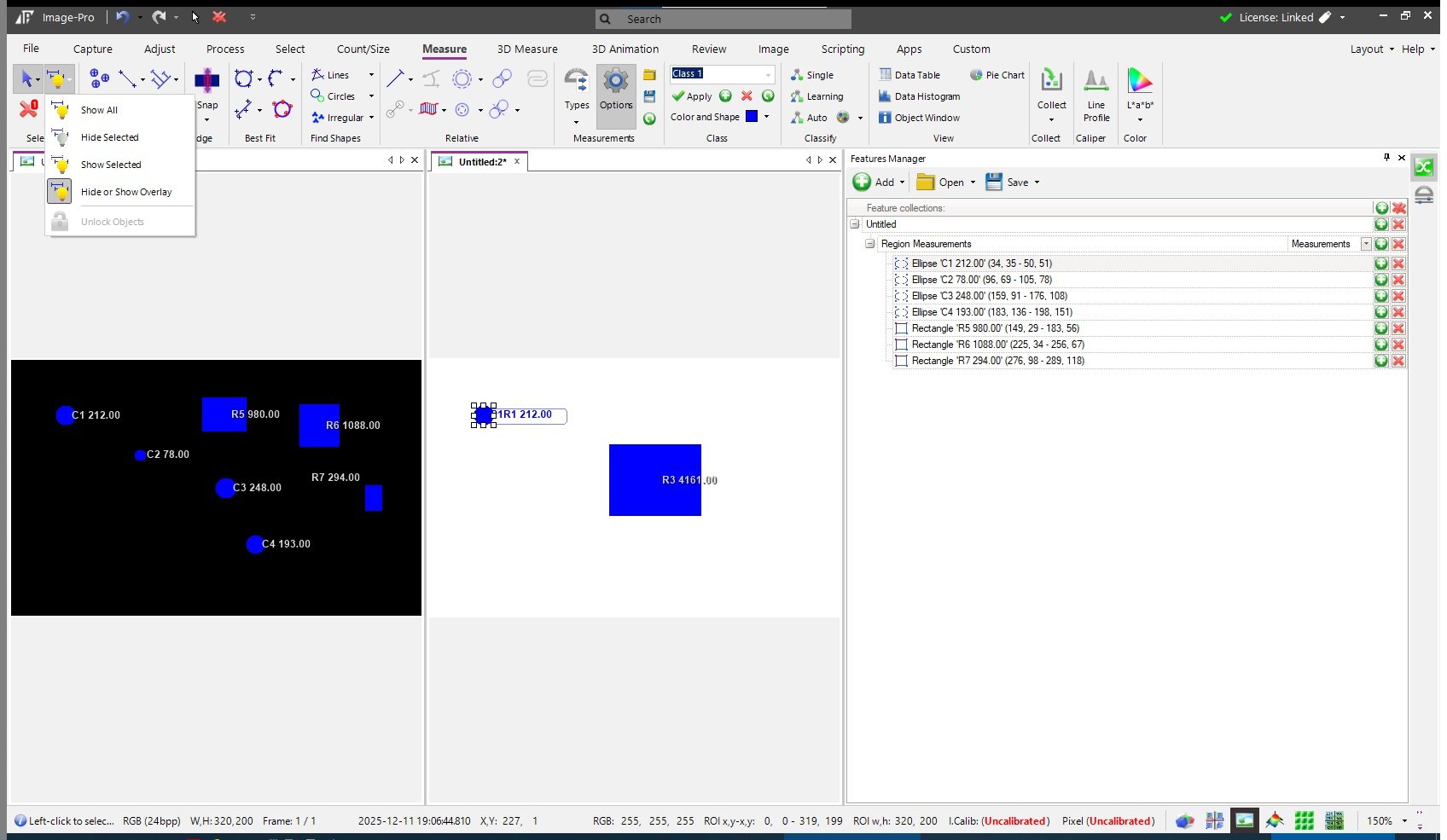
The SCREEN CAPTURE IMAGE below and attached illustrates an issue that I need assistance with please.
In the IMAGE below and attached, I created 7 MEASUREMENT OBJECTS within the BLACK IMAGE using IMAGE-PRO 11.0.3. I then did an
ADD + ADD ALL
with the FEATURES MANAGER.
After that I did a
SET TO IMAGE
for
MEASUREMENT OBJECT NUMBER 1
within the WHITE IMAGE.
I was unable to move that RECALLED MEASUREMENT OBJECT NUMBER 1 using the SELECT MEASUREMENT TOOL.
I manually created a NEW MEASUREMENT OBJECT within the WHITE IMAGE and I was able to move it using the SELECT MEASUREMENT TOOL.
I
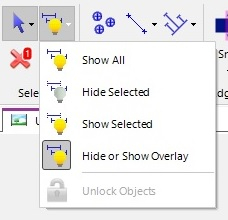
found that the UNLOCK OBJECTS FUNCTION under the HIDE OR SHOW OVERLAY
was DISABLED when either the RECALLED MEASUREMENT OBJECT or the NEW
MEASUREMENT OBJECT was selected.
That is below and shown here.

I believe that I have seen this before but I cannot remember the solution.
Thank you in advance.
-- Matt
0
Answers
-
Hi Matt,
The Unlock option becomes available when you disable the Filled Objects setting on the Measurement Objects settings dialog.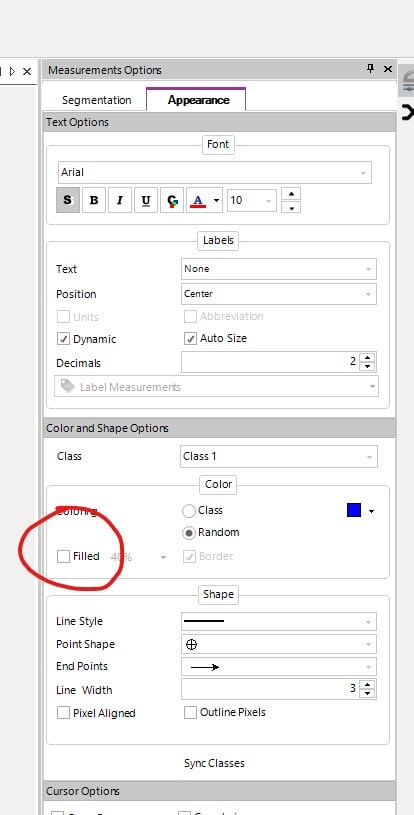
Hope this helps,
Scott Reed0 -
2025-12-17-160056Scott --Thank you for your guidance on this.Using MEASUREMENT OPTIONS + FILLED OFF did give me the ability to SELECT and MODIFY the OBJECTS in the DESTINATION IMAGE but . . .
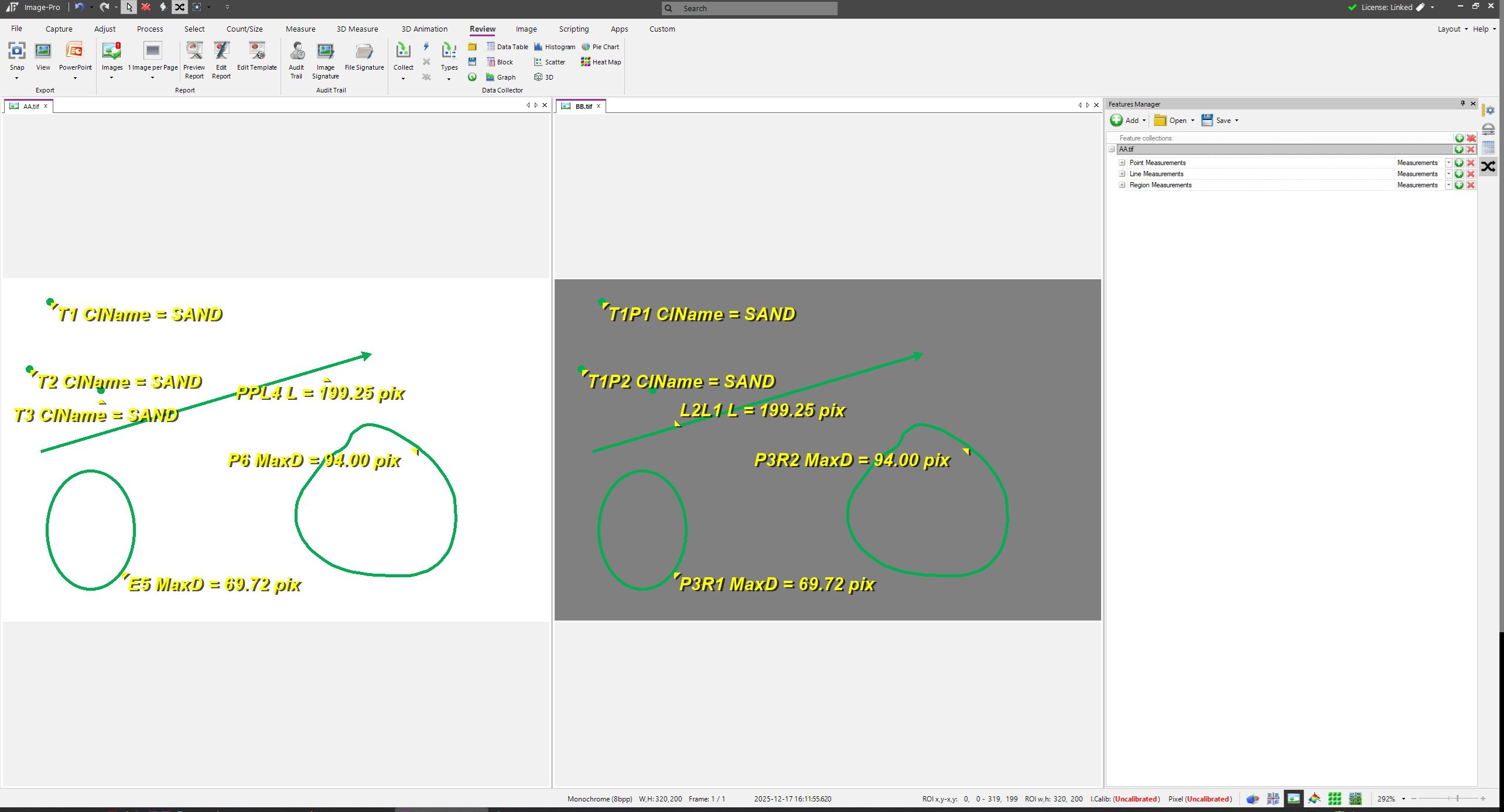
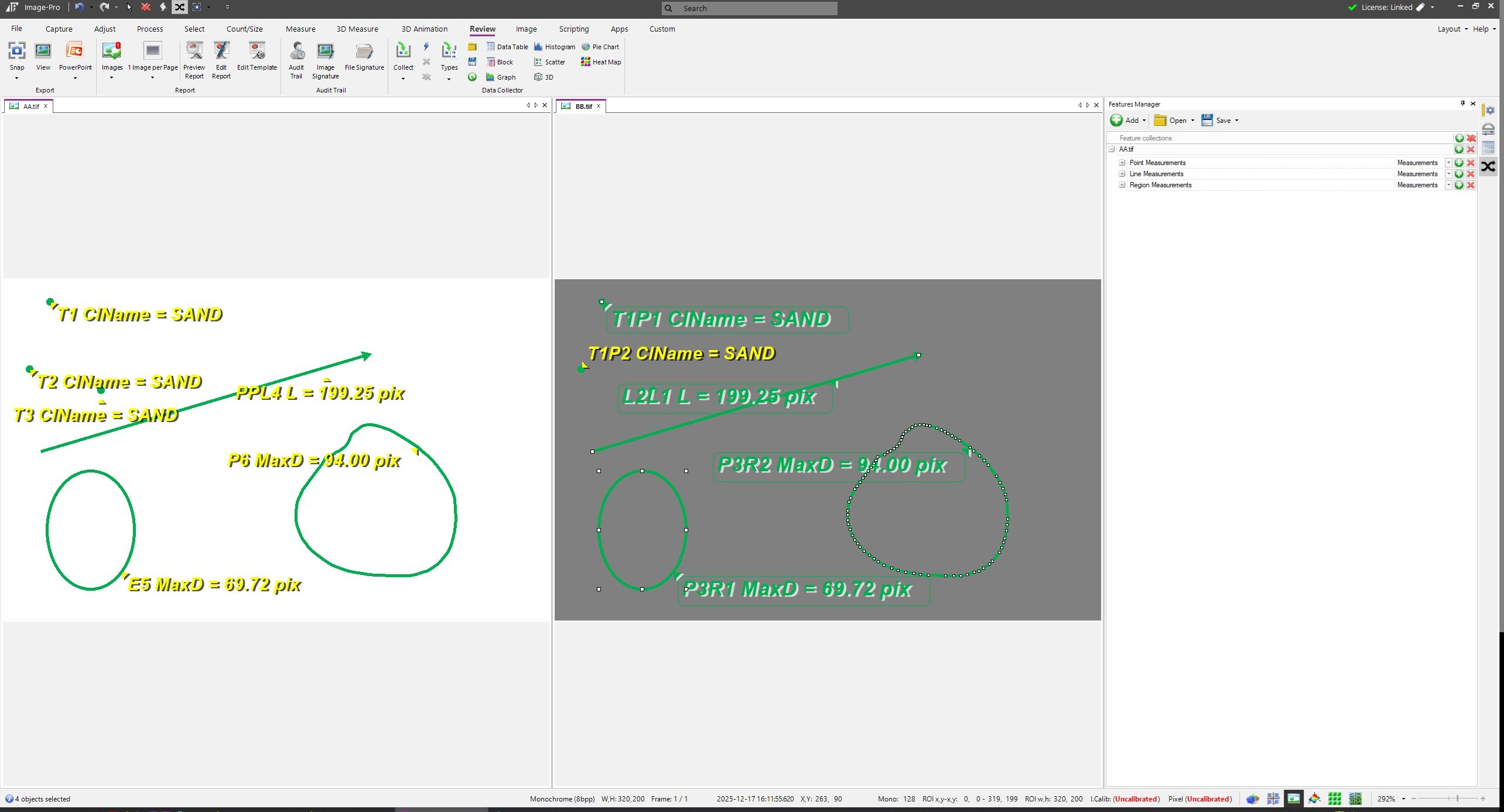
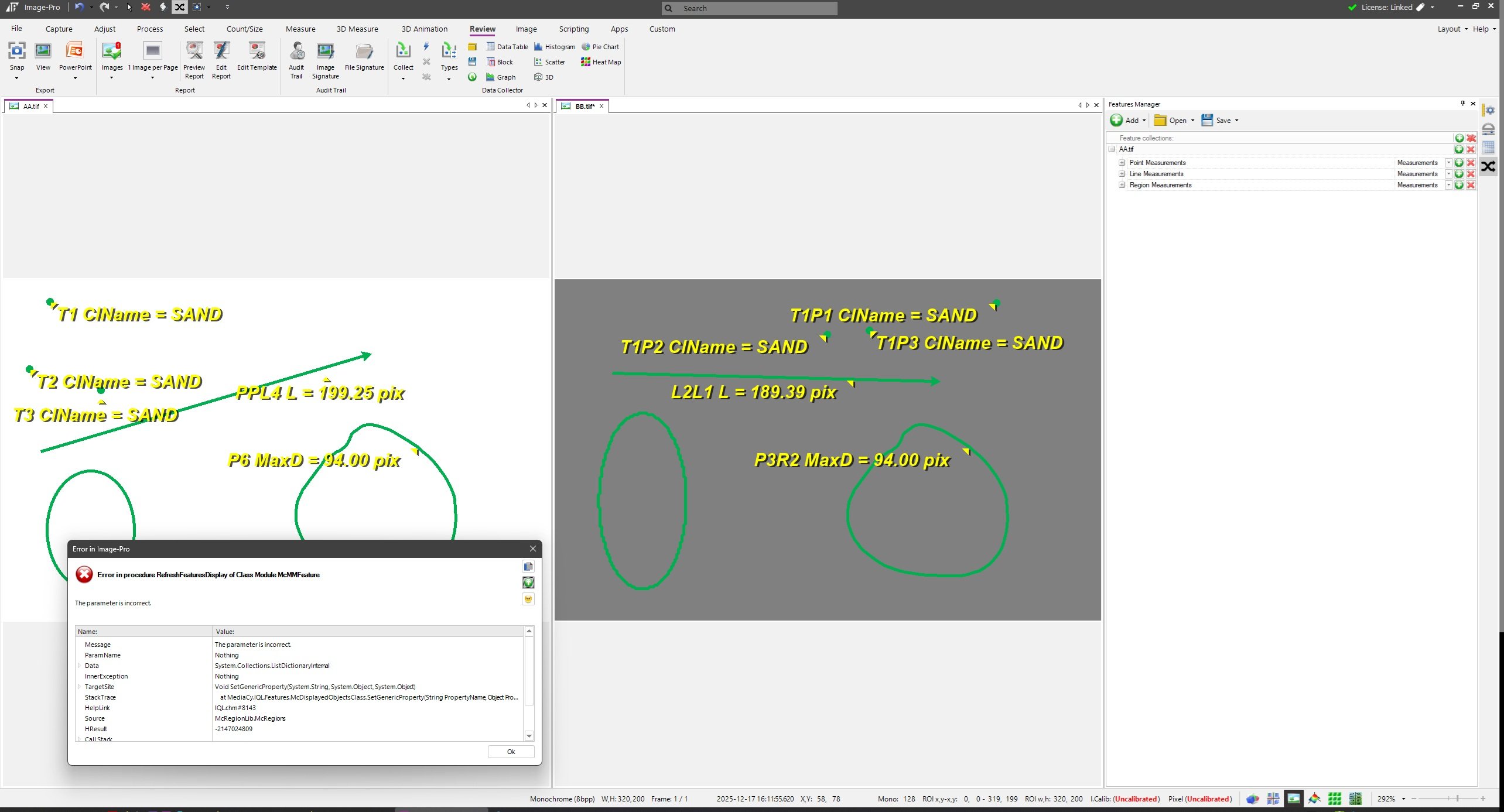
IMAGE-PRO V 11.1 crashed a couple of times.In the SOURCE IMAGE, I created a few POINTS, a LINE, an ELLIPSE, and a POLYGON.I am not sure but it seems that I reliably able to edit the COPIED POINTS, and COPIED LINE, but it seems that attempting to edit the ELLIPSE or the POLYGON generated an error that crashed IMAGE-PRO.That story is told by the images below.I have attached the AA.TIF with the OBJECTS and the BB.TIF without the OBJECTS to this POST. I was unable to attach the ROI FILE that I generated with the FEATURE MANAGER or the IQM FILE that I generated with the MEASUREMENT TABLE.I gave this customer the information that IQM FILES from the MEASUREMENT TABLE was an option to move OBJECTS from an IMAGE AA to an IMAGE BB.Do you have a suggestion to keep this type of crash from happening when we are using the FEATURE MANAGER?Thanks again.-- Matt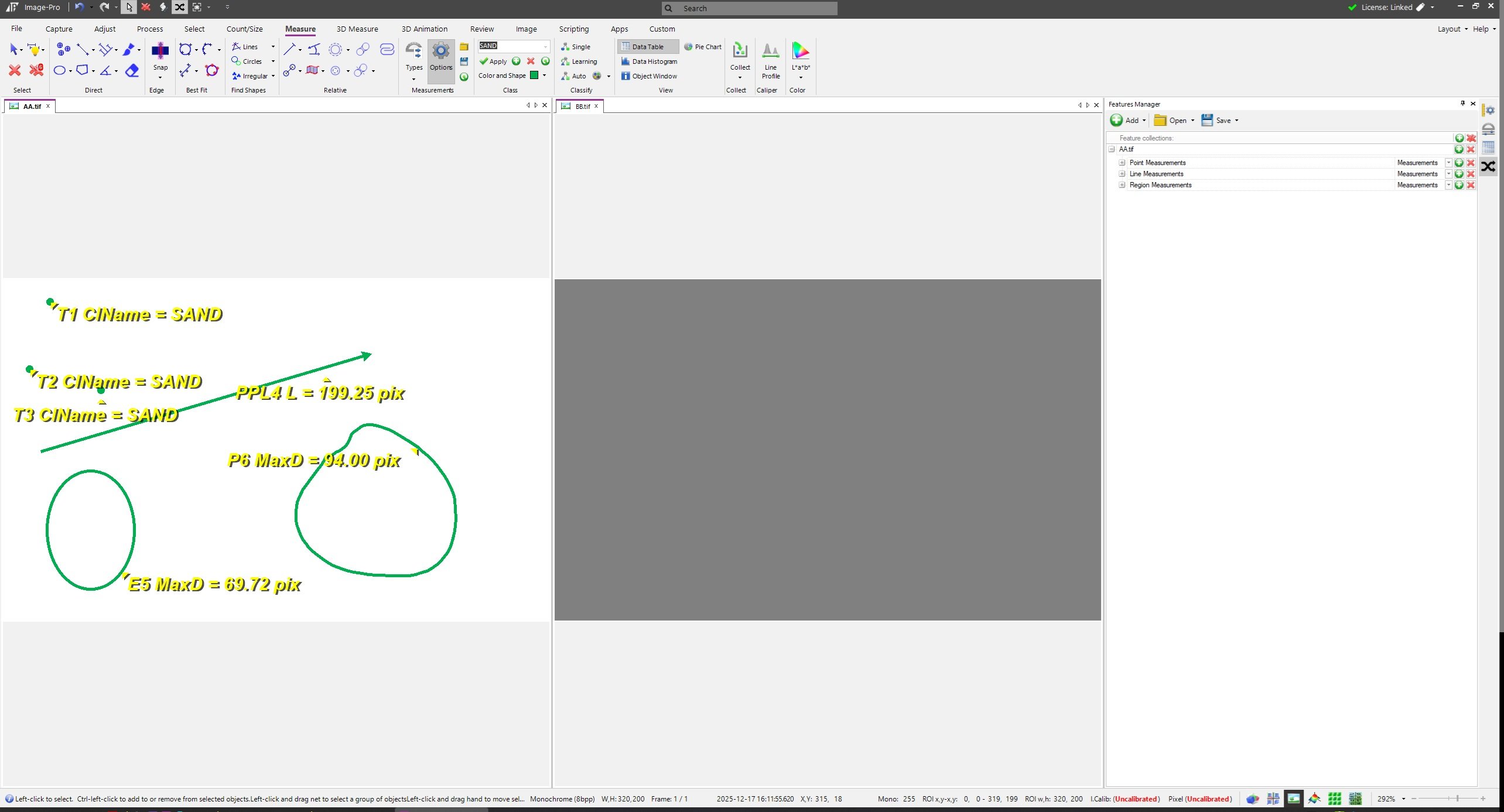
0 -
Matt,
Please forward the crash information (copy and paste it into this message or send it to support) and I will file a report.
Best Regards,
Scott Reed
Media Cybernetics0 -
2025-12-30-144210Scott --Thank you for your response.I will attempt to capture and post the CRASH INFORMATION that you have requested.Thanks again.-- Matt0
-
2026-01-02-153318Scott --I followed the steps above and the CRASH happened again.I have sent a copy of the ERROR REPORT to your e-mail address.I hope this information is helpful.-- Matt0

Categories
- All Categories
- 961 Image-Pro v9 and higher
- 9 Image-Pro FAQs
- 19 Image-Pro Download & Install
- 444 Image-Pro General Discussions
- 489 Image-Pro Automation (Macros, Apps, Reports)
- 20 AutoQuant Deconvolution
- 2 AutoQuant Download & Install
- 18 AutoQuant General Discussions
- 193 Image-Pro Plus v7 and lower
- 3 Image-Pro Plus Download & Install
- 105 Image-Pro Plus General Discussions
- 85 Image-Pro Plus Automation with Macros
- 36 Legacy Products
- 16 Image-Pro Premier 3D General Discussions
- 20 Image-Pro Insight General Discussions